GSC Queries Report: Find Biggest Opportunities
Learn how to use Google Search Console's Queries report to find your biggest SEO opportunities. Discover high-impact keywords in positions 5-15.

GSC Queries Report: How to Find Your Biggest Opportunities
Introduction
Thousands of queries in Google Search Console, but which ones matter? Which keywords could double your traffic with a few optimizations? Which waste your time?
The GSC Queries report is a goldmine—if you know how to dig. Most people sort by clicks, congratulate themselves on top performers, and move on. They miss 80% of the value.
The real opportunity: high-potential keywords in positions 5-15—thousands of impressions, barely any clicks, stuck on bottom of page one or top of page two.
Learn how to identify high-ROI queries, exact filters and sorts revealing opportunities, a proven prioritization framework, real examples of queries worth pursuing (and ones to ignore), and how to turn high-impression, low-click queries into traffic generators.
A systematic approach to finding opportunities that move the needle.
Why Most People Waste the Queries Report
Common mistakes:
#1: Sorting by clicks Top queries already perform. Great for monitoring, not opportunities. Looking at what works doesn't show what to fix.
#2: Chasing long-tail with 2 impressions 3 impressions/month, ranking #47 isn't an opportunity—it's noise. Volume doesn't support effort.
#3: Ignoring position context 5,000 impressions, 50 clicks at position #2 has limited upside. Same at position #8 can 5x your clicks.
#4: Optimizing branded queries Ranking #1 for your brand with 60% CTR is expected. Monitor but rarely growth opportunities.
Real opportunities:
- High impression volume (demand exists)
- Mid-range positions (5-15, small gains yield massive CTR increases)
- Low CTR for position (poor titles/meta or page-two rankings)
- Intent matching your content
The Opportunity Discovery Framework
This is the four-step framework for systematically identifying your highest-value keyword opportunities.

Step 1: Set Your Date Range (90 Days Minimum)
Single-month data is noisy. Three months smooths noise and gives reliable averages.
How to set:
- Open Performance Report
- Click date picker (top right)
- Select "Last 3 months" or custom range (90+ days)
Pro tip: Use "Compare" for year-over-year trends. Growing impressions YoY is more valuable than declining, even with similar current volume.
Step 2: Apply the "Opportunity Zone" Filter
Opportunity zone: positions 5-15. Close enough to reach page one with optimization, each position gain yields significant CTR increases (moving from #15 to #10 can double clicks), less competition than positions 1-4, and Google-validated content.
How to filter:
GSC lacks "position range" filter. Two options:
Option A: Export and filter in Excel/Sheets
- Click "Export"
- Choose "Google Sheets" or "Download CSV"
- Filter Position:
>=5and<=15 - Sort by Impressions (descending)
Option B: Manual scrolling
- Sort queries by Position (ascending)
- Scroll to 5-15 range
- Note high-impression queries
Tedious, but insights are worth it.
Step 3: Sort by Impressions to Find Volume
Sort positions 5-15 by impressions (high to low).
Impressions show search demand. 10,000 impressions/month = 10,000 opportunities. 200 clicks (2% CTR) at position #9, moving to position #4 = 1,000+ clicks (10% CTR). 5x traffic increase from one ranking improvement.
Compare: 100 impressions at position #9, 2 clicks. Triple CTR = only 4 more clicks. Not worth effort.
Impression thresholds:
- Small/new site: 500+/month
- Medium site: 1,000+/month
- Large site: 5,000+/month
Adjust based on baseline traffic.
Step 4: Calculate Opportunity Score
Not all high-impression, mid-position queries are equal. You need a scoring system.
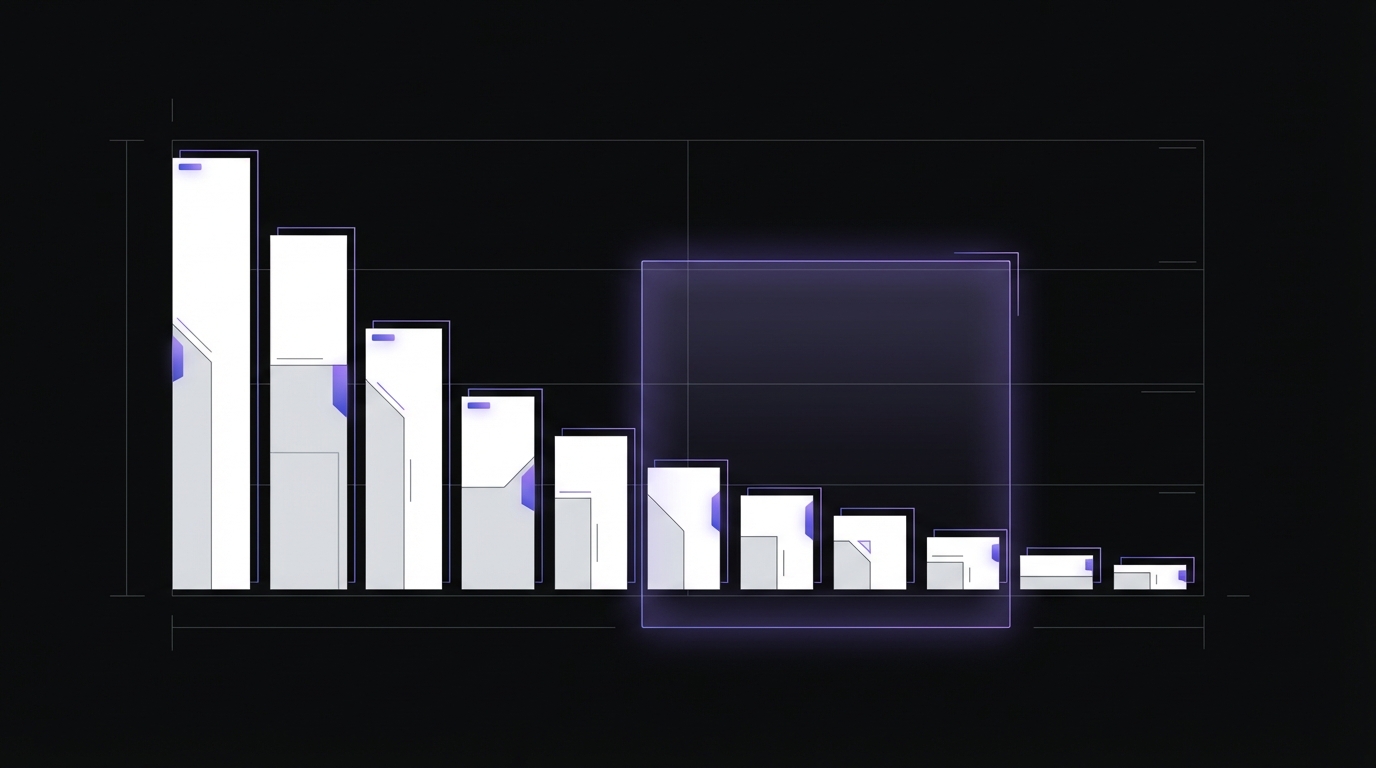
CTR Benchmarks by Position (2026 Data):
| Position | Average CTR |
|---|---|
| 1 | 39.8% |
| 2 | 18.7% |
| 3 | 10.2% |
| 4 | 7.2% |
| 5 | 5.1% |
| 6 | 4.4% |
| 7 | 3.0% |
| 8 | 2.1% |
| 9 | 1.9% |
| 10 | 1.6% |
Note: Position 1 CTR drops to 23.7% when a local pack appears. AI Overviews further reduce organic CTR—position 1 CTR declined 32% post-AI Overview rollout.
The Opportunity Score Formula:
Opportunity Score = (Impressions × Potential CTR Gain) / Current Clicks
What this tells you: How many additional clicks you could gain relative to current performance.
Example calculation:
Query: "best project management software"
- Current position: #8
- Current impressions: 5,000/month
- Current clicks: 150/month
- Current CTR: 3%
If you improved to position #4:
- Expected CTR: ~7.2% (from benchmark table above)
- Potential clicks: 5,000 × 0.072 = 360 clicks
- Potential gain: 360 - 150 = 210 additional clicks
- Opportunity score: 210 / 150 = 1.4 (140% increase)
Prioritization:
- Score >3.0: High priority (3x+ traffic potential)
- Score 2.0-3.0: Medium priority (2-3x traffic potential)
- Score 1.5-2.0: Low priority (1.5-2x traffic potential)
- Score <1.5: Probably not worth it (limited upside)
This prevents you from wasting time on queries where you're already capturing most available clicks.
The 7 Types of Query Opportunities
Not all opportunities are created equal. Here are the seven types you'll encounter, with real examples (anonymized).
Type 1: The "Almost There" Query
Characteristics:
- Position #8-12
- High impressions (2,000+)
- CTR matches position expectations
- Clear intent match
Example:
- Query: "how to create a content calendar"
- Position: #9
- Impressions: 3,200/month
- Clicks: 96/month (3% CTR)
Why it's an opportunity: You're on the cusp of page one. Your content is relevant (or you wouldn't rank here), but it needs a boost. Small improvements can push you to position #5-7, dramatically increasing CTR.
Action plan:
- Improve title tag (make it more compelling for CTR)
- Add depth to content (aim for most comprehensive answer)
- Build 2-3 high-quality backlinks
- Improve internal linking to the page
- Update content freshness
Expected outcome: Move to position #5-6, increase clicks to 250-300/month (2.5-3x gain)
Type 2: The "Impression Giant"
Characteristics:
- Position #5-10
- Extremely high impressions (10,000+)
- Low absolute clicks despite respectable position
- Massive scale potential
Example:
- Query: "email marketing tips"
- Position: #7
- Impressions: 15,000/month
- Clicks: 450/month (3% CTR)
Why it's an opportunity: Sheer volume. Even small position improvements yield hundreds of additional clicks. Moving from #7 to #5 could add 300+ monthly clicks from this one query.
Action plan:
- This is your highest ROI opportunity
- Invest heavily: comprehensive content update, expert quotes, original research
- Aggressive backlink campaign
- Convert into content hub if possible
- Create supporting content linking to this page
Expected outcome: Move to position #4-5, increase clicks to 900-1,200/month (2-2.5x gain)
Type 3: The "Low-Hanging Fruit"
Characteristics:
- Position #11-15 (top of page 2)
- Moderate impressions (500-2,000)
- CTR lower than expected for position
- Often informational queries
Example:
- Query: "what is keyword clustering"
- Position: #13
- Impressions: 800/month
- Clicks: 16/month (2% CTR)
Why it's an opportunity: You're page 2 purgatory. Most users never go to page 2, but you're so close. With minimal effort, you can crack page one and 5x your clicks.
Action plan:
- Quick content refresh (add 300-500 words)
- Optimize title and H1 for the exact query
- Add 2-3 internal links from related pages
- Basic on-page SEO audit (images, load speed, etc.)
Expected outcome: Move to position #8-10, increase clicks to 60-80/month (4-5x gain)
Type 4: The "CTR Underperformer"
Characteristics:
- Position #3-7 (already on page one!)
- High impressions
- CTR significantly below position benchmark
- Title/meta description problem, not ranking problem
Example:
- Query: "CRM software comparison"
- Position: #5
- Impressions: 4,000/month
- Clicks: 200/month (5% CTR)
- Expected CTR for position #5: 8-10%
Why it's an opportunity: You've already won the ranking battle. You just need to win the click battle. Your title/meta isn't compelling enough compared to competitors.
Action plan:
- Don't touch the content. It's already ranking well.
- Rewrite title tag (add numbers, power words, clear value proposition)
- Rewrite meta description (include compelling CTA, benefits)
- Consider adding FAQ schema or other rich snippets
- Test different title formats
Expected outcome: Stay at position #5, increase CTR to 8-9%, clicks to 320-360/month (60%+ gain without changing rankings)
This is the fastest win. You can rewrite titles in 10 minutes and see results in 2-4 weeks.
Type 5: The "Intent Mismatch" (Skip It)
Characteristics:
- Mid-range position
- High impressions
- Very low CTR (<1%)
- Query doesn't match your content type
Example:
- Query: "buy running shoes"
- Position: #8
- Impressions: 2,000/month
- Clicks: 12/month (0.6% CTR)
- Your site: Running blog (not e-commerce)
Why it's NOT an opportunity: Search intent mismatch. Users want to buy; you're offering information. Your CTR is low because users see your result and skip it—they want product pages, not blog posts.
Action plan: Ignore it. Don't waste time trying to rank informational content for transactional queries. Focus on intent-matched opportunities.
Exception: If you can pivot the content type (e.g., add an affiliate shopping guide or product comparison), it might be worth it—but that's a content strategy decision, not an optimization play.
Type 6: The "Declining Star"
Characteristics:
- Currently position #8-15
- High impressions
- Position dropped recently (compare date ranges)
- Was performing better 3-6 months ago
Example:
- Query: "social media scheduler"
- Current position: #11 (down from #6 three months ago)
- Impressions: 1,500/month
- Clicks: 45/month (down from 150/month)
Why it's an opportunity: You've already proven you can rank well for this query. Something changed (algorithm update, competitors improved, your content got stale). Diagnosis and fix can recover lost traffic.
Action plan:
- Investigate what changed (check competitors ranking #6-10 now)
- Content refresh focused on what they added
- Technical audit (any crawl issues?)
- Backlink gap analysis (did they gain links you don't have?)
- Update publish date and add fresh examples
Expected outcome: Recover to position #6-8, regain 100+ clicks/month
Type 7: The "Question Query"
Characteristics:
- Position #5-12
- Moderate impressions
- Question-based query (who, what, when, where, why, how)
- Featured snippet potential
Example:
- Query: "how long does SEO take to work"
- Position: #7
- Impressions: 1,200/month
- Clicks: 60/month (5% CTR)
Why it's an opportunity: Question queries often trigger featured snippets (position #0). Even if you're ranking #7, you can leapfrog to position #0 with the right formatting. Featured snippets often have 20-30% CTR.
Action plan:
- Add direct, concise answer in first 50-60 words
- Use formatting: bullet lists, numbered steps, or short paragraphs
- Answer the exact question directly before providing detail
- Add FAQ schema markup
- Include related questions in H2/H3 subheadings
Expected outcome: Capture featured snippet (position #0), increase clicks to 250-300/month (4-5x gain)
The Queries to Ignore (Don't Waste Your Time)
Knowing what to ignore is as important as knowing what to pursue.
Ignore: Branded Queries
If you're ranking #1 for your own brand name with 70% CTR, that's great—but it's not an opportunity. You already own it. Monitor for brand protection, but don't optimize.
Exception: If branded CTR is low (<50%), your brand reputation or Google Business Profile might need work.
Ignore: Ultra-Low Volume (<100 impressions/month)
Even if you could triple clicks, you're only gaining 6 clicks/month. Not worth the effort unless you're a tiny site where every click matters.
Ignore: "Near Me" Queries for Non-Local Businesses
If you're a SaaS company ranking for "project management software near me," you're not the target. Users want local consultants or in-person solutions.
Ignore: Informational Queries on Commercial Pages (Vice Versa)
Your product page won't rank well for "what is X" queries. Your blog post won't rank well for "buy X" queries. Don't fight search intent.
Ignore: Queries Where You're Already #1-3
You've won. Optimize for CTR if it's low, but ranking optimization won't help much. The upside is limited.
AI Overview Considerations
AI Overviews now appear for 86%+ of queries (up from 5% in August 2024). Factor this into your opportunity assessment:
Impact on CTR benchmarks:
- Post-AI Overview, organic CTR for positions 1-5 dropped 17.92% year-over-year
- Position 1 CTR declined from 28% to 19% (32% drop)
- CTR for queries with AI Overviews: 6.34% (vs 19.70% pre-AIO)
How to identify AI Overview queries:
- Search your target query in Google (use incognito to avoid personalization)
- Note if an AI Overview appears above organic results
- Factor in the CTR reduction when calculating opportunity scores
Adjusted opportunity assessment:
- Queries with AI Overviews have lower CTR ceilings—adjust expectations by 20-30%
- Featured snippet opportunities become more valuable (often pulled into AI Overviews)
- Question queries that trigger AI Overviews may have limited upside
- Focus on queries with commercial or transactional intent (AI Overviews less common)
How to Filter Out Branded Queries
Branded queries skew your opportunity analysis. Filter them out for accurate non-branded assessment.
In GSC (2026 update): GSC now separates branded and non-branded queries automatically in the Performance report. Click the "Search type" filter and select "Non-branded" to exclude brand terms.
Manual filtering (for custom analysis):
- Export query data to spreadsheet
- Create a filter excluding queries containing:
- Your brand name
- Common misspellings of your brand
- Product names
- Domain variations
Spreadsheet formula:
=NOT(OR(ISNUMBER(SEARCH("brandname",A2)), ISNUMBER(SEARCH("brand-name",A2))))
Why this matters: Non-branded queries reveal growth opportunities with new audiences. Branded queries show existing brand awareness—important to monitor, but not where you'll find new traffic.
GSC Data Limitations to Know
Before diving into analysis, understand what GSC can't tell you:
| Limitation | Impact | Workaround |
|---|---|---|
| 16-month retention | Can't analyze long-term historical trends | Export monthly and maintain your own archive |
| 1,000 row limit | High-volume sites won't see all queries | Use API or Search Analytics for Sheets extension |
| Data sampling | Very high-traffic sites see sampled data | Focus on percentage changes, not absolutes |
| 72-hour delay | Data isn't real-time | Use for trends, not daily monitoring |
| Anonymous queries | Privacy threshold hides low-volume queries | Accept you won't see every long-tail term |
Practical implication: Don't treat GSC numbers as gospel. Use them for directional insights and relative comparisons, not absolute measurements.
Advanced Filtering: Combining Metrics for Laser Precision
Want to get even more targeted? Use multiple filters simultaneously.
Filter Combo 1: High Impression + Mid Position + Low CTR
Goal: Find CTR underperformers with ranking opportunity
Filters:
- Impressions >1,000
- Position 5-15
- CTR <4%
Export to spreadsheet and filter:
=AND(B2>1000, C2>=5, C2<=15, D2<0.04)
This surfaces queries where you have volume, decent position, but poor click capture—meaning both ranking and CTR improvements are possible.
Filter Combo 2: Question Queries with Featured Snippet Opportunity
Goal: Find queries where you can capture position #0
Manual filter:
- Export queries
- Filter for queries containing: "how", "what", "why", "when", "where", "who", "which"
- Filter positions 4-10 (featured snippets usually pull from top 10)
- Sort by impressions
These are your featured snippet opportunities.
Filter Combo 3: Commercial Intent Queries for Revenue Focus
Goal: Prioritize queries that drive revenue, not just traffic
Manual filter:
- Export queries
- Filter for queries containing: "best", "top", "vs", "comparison", "review", "tool", "software", "pricing"
- Filter positions 5-15
- Sort by impressions
If you're running a business (not just a blog), commercial-intent queries convert better. Prioritize these even if impression volume is slightly lower.
Filter Combo 4: Keyword Cannibalization Detection
Goal: Find queries where multiple pages compete against each other
How to identify:
- Export queries with "Pages" dimension (not just queries)
- Sort by query, then by impressions
- Look for queries where 2+ URLs appear
Spreadsheet formula to flag duplicates:
=COUNTIF(A:A, A2) > 1
Signs of cannibalization:
- Same query, multiple URLs, split impressions
- Neither page ranks as well as it should
- Position fluctuates between pages
Fix:
- Consolidate content into one comprehensive page
- Add canonical tags if pages must exist separately
- Use internal links to signal which page should rank
- Differentiate pages by targeting different intent (informational vs transactional)
Cannibalization is a hidden opportunity killer. Fixing it can double rankings for affected queries.
Real Example: Turning Data Into Action
Let's walk through a real-world example (anonymized client data).
Scenario: SaaS blog with 5,000 clicks/day, looking for next growth levers.
Step 1: Export 90 days of query data
Total queries: 12,847
Step 2: Filter for positions 5-15
Filtered to: 2,134 queries
Step 3: Filter for impressions >1,000/month
Filtered to: 87 queries
Step 4: Calculate opportunity scores
Top 5 opportunities:
| Query | Position | Impressions | Clicks | CTR | Opportunity Score |
|---|---|---|---|---|---|
| "project management templates" | 9 | 8,500 | 255 | 3.0% | 2.9 |
| "how to write OKRs" | 11 | 3,200 | 64 | 2.0% | 4.2 |
| "agile vs scrum vs kanban" | 7 | 5,800 | 232 | 4.0% | 2.2 |
| "remote team management tips" | 13 | 2,100 | 42 | 2.0% | 3.8 |
| "project timeline template" | 8 | 4,200 | 168 | 4.0% | 2.1 |
Step 5: Prioritize based on score and effort
- "how to write OKRs" (score 4.2) – Featured snippet opportunity, low-hanging fruit
- "remote team management tips" (score 3.8) – Page 2, needs content refresh
- "project management templates" (score 2.9) – Highest volume, worth the effort
- "agile vs scrum vs kanban" (score 2.2) – Comparison content, add depth
- "project timeline template" (score 2.1) – Already decent position, CTR optimization
Step 6: Take action
Week 1-2:
- Rewrote "how to write OKRs" intro for featured snippet format
- Added direct answer, bullet list, and FAQ schema
- Updated publish date
Week 3-4:
- Refreshed "remote team management tips" with 800 new words
- Added expert quotes and recent statistics
- Built 3 internal links from related posts
Week 5-6:
- Major update to "project management templates" page
- Added downloadable templates (increased value)
- Outreach for 5 backlinks from HR/management blogs
Results after 90 days:
| Query | Old Position | New Position | Old Clicks | New Clicks | Gain |
|---|---|---|---|---|---|
| "how to write OKRs" | 11 | 0 (featured snippet) | 64 | 780 | +716 |
| "remote team management tips" | 13 | 8 | 42 | 168 | +126 |
| "project management templates" | 9 | 5 | 255 | 595 | +340 |
| "agile vs scrum vs kanban" | 7 | 6 | 232 | 348 | +116 |
| "project timeline template" | 8 | 7 | 168 | 252 | +84 |
Total gain from 5 queries: +1,382 clicks/day
That's a 27% increase in total traffic from optimizing just 5 queries.
This is the power of systematically identifying and acting on high-opportunity queries.
Building Your Opportunity Pipeline
Don't just do this once. Make it a repeating process.
Monthly Query Review Process:
- First Monday of the month: Export queries from last 90 days
- Apply opportunity framework: Filter for positions 5-15, impressions >threshold
- Calculate opportunity scores: Prioritize top 10 queries
- Assign to content team: Pick 3-5 to optimize this month
- Track in spreadsheet: Record baseline metrics (position, clicks, CTR)
- Review next month: Check progress, calculate gains
Quarterly Deep Dive:
Every quarter, do a comprehensive review:
- Year-over-year comparison (identify growing vs declining opportunities)
- Competitive analysis (queries where competitors recently passed you)
- Seasonal planning (prepare content for seasonal queries 2-3 months early)
- Content gap identification (queries competitors rank for that you don't)
Why this matters:
The opportunity landscape changes constantly:
- Your rankings fluctuate
- Competitors improve their content
- Search demand shifts
- New queries emerge
A one-time analysis isn't enough. Build this into your workflow.
Common Questions
Q: How long does it take to see results after optimization?
A: Typically 4-8 weeks. Google needs time to recrawl, reassess, and adjust rankings. If you don't see movement after 12 weeks, the optimization wasn't sufficient or there's a deeper issue (technical, competitive, etc.).
Q: Should I optimize for multiple queries on the same page?
A: Yes, but they should be closely related. A page about "email marketing tips" can also rank for "email marketing best practices" and "effective email strategies." But don't try to rank for both "email marketing" and "social media marketing" on the same page—they need separate content.
Q: What if I optimize for a query and rankings drop?
A: This is rare but possible. It usually means you over-optimized (keyword stuffing), changed the page intent significantly, or published an update with technical issues. Revert the changes, diagnose the issue, and try a lighter touch.
Q: Should I focus on high-volume queries or high-score queries?
A: High-score queries give you better ROI (more gain relative to effort), but high-volume queries give you more absolute traffic. Balance both: do high-score queries for quick wins, high-volume queries for long-term impact.
Q: Can I use this framework for brand new websites?
A: Yes, but you'll need to adjust impression thresholds. For new sites, even 50-100 impressions might be worth pursuing. The framework still works—just scale expectations.
Q: How do I know if a query is truly worth pursuing?
A: Ask yourself: "If I doubled traffic from this query, would it meaningfully impact my business?" If yes, pursue it. If no, it's probably vanity metrics.
Conclusion: From Data to Action
The GSC Queries report isn't just a vanity dashboard—it's a strategic roadmap.
Every query in positions 5-15 with high impressions is a potential traffic doubler hiding in plain sight. Every CTR underperformer is a quick win waiting to happen. Every question query is a featured snippet opportunity.
But only if you have a system for finding them.
Here's your action plan:
- Today: Export your last 90 days of query data from GSC
- This week: Apply the opportunity framework—filter for positions 5-15, calculate opportunity scores
- This month: Optimize 3-5 high-score queries (content updates, title optimization, internal links)
- Next quarter: Measure results, refine your process, scale up
Start with one query. Optimize it. Track the results. Then do another.
Over 12 months, optimizing just 2-3 queries per month compounds into massive traffic gains—without creating any new content.
That's the power of opportunity-focused SEO.
The data is already in your GSC account. The opportunities are already there. All you need is the framework to find them.
Now go find yours.
Next Step: Turn Opportunities Into Prioritized Tasks
You've identified your biggest opportunities. Now what? With dozens of potential optimizations competing for your attention, you need a systematic way to prioritize which tasks will deliver the highest return on your investment.
→ Continue your journey: How to Prioritize SEO Tasks Using GSC Data
This next guide shows you the Impact vs Effort framework for calculating exactly which opportunities to tackle first, how to score tasks based on GSC data, and how to build a quarterly roadmap that focuses resources on what matters most.
Related Articles
- Pages Report Analysis: Identifying Your Best and Worst Performers – Apply similar opportunity-finding techniques to your pages
- How to Interpret GSC Click-Through Rate Data – Learn to optimize your CTR for better traffic
- Position Tracking in GSC: What Average Position Really Means – Understand position metrics properly
- The Complete Guide to Google Search Console Analysis – Comprehensive GSC resource hub
About the Author: This guide is part of our comprehensive Google Search Console analysis series, designed to help you turn GSC data into actionable SEO improvements that drive real traffic growth.